Documentation · Workflows & epics
How custom workflows, epics and issue linking work in SPIREX
Everything on a SPIREX board sits on three layers underneath it: a work hierarchy (epics, stories, subtasks), a workflow (the statuses a project actually uses), and a rich editor for writing the work up. This page documents how each layer works and how a change in one propagates to the others.
By the SPIREX team · Published
The work hierarchy: epics, stories, subtasks
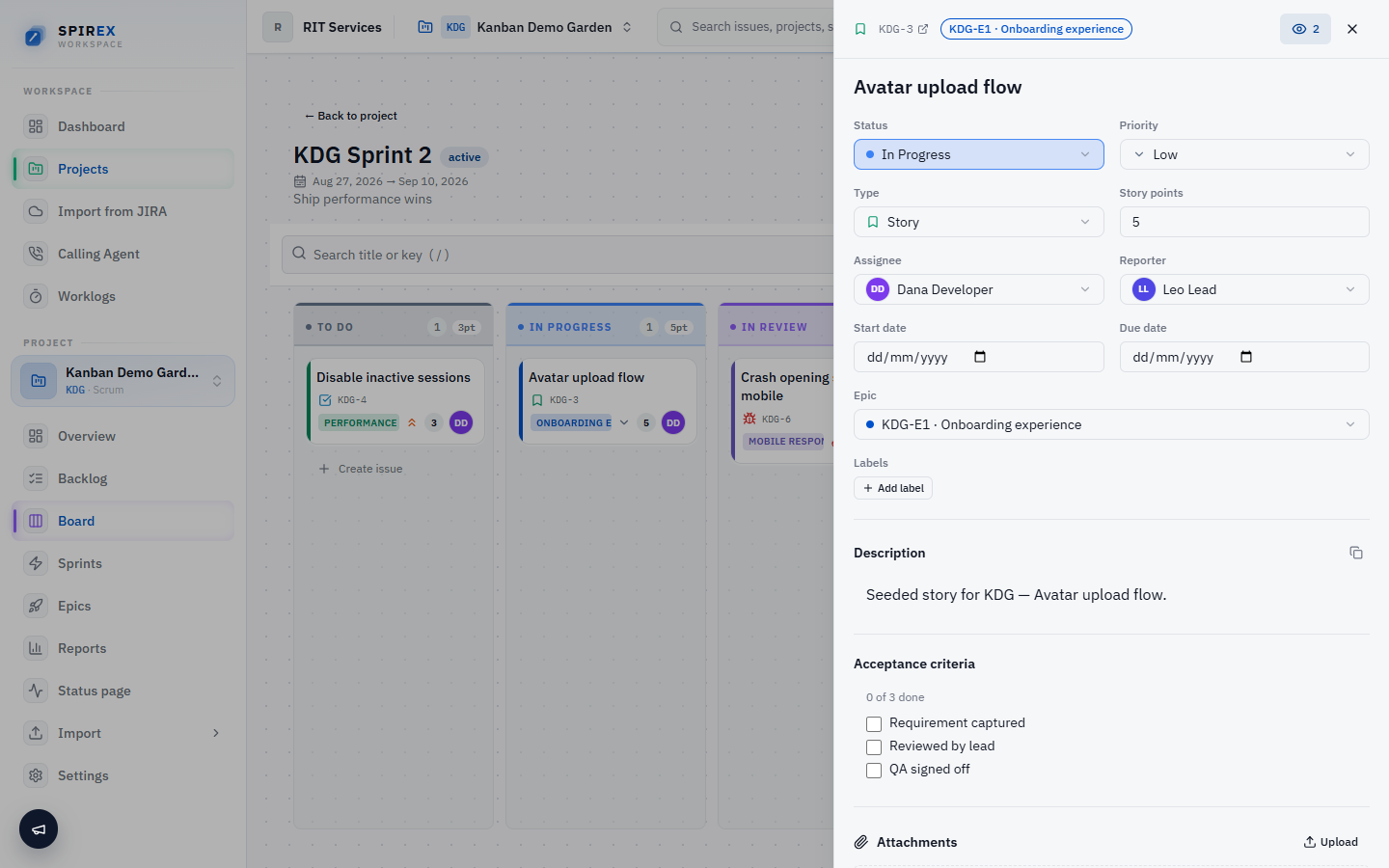
An epic groups related stories under one initiative, which is the shape most Jira users already know. A story is the unit of planning: it carries a type (story, bug, or task), story points, labels, an assignee and a reporter. A subtask breaks a story into smaller pieces of work without becoming a first-class planning unit itself.
Stories can be linked to one another with an explicit relationship (blocks, relates to, or duplicates), so a dependency is visible on the story itself rather than living only in a comment or a Slack thread.
How the six core statuses become your workflow
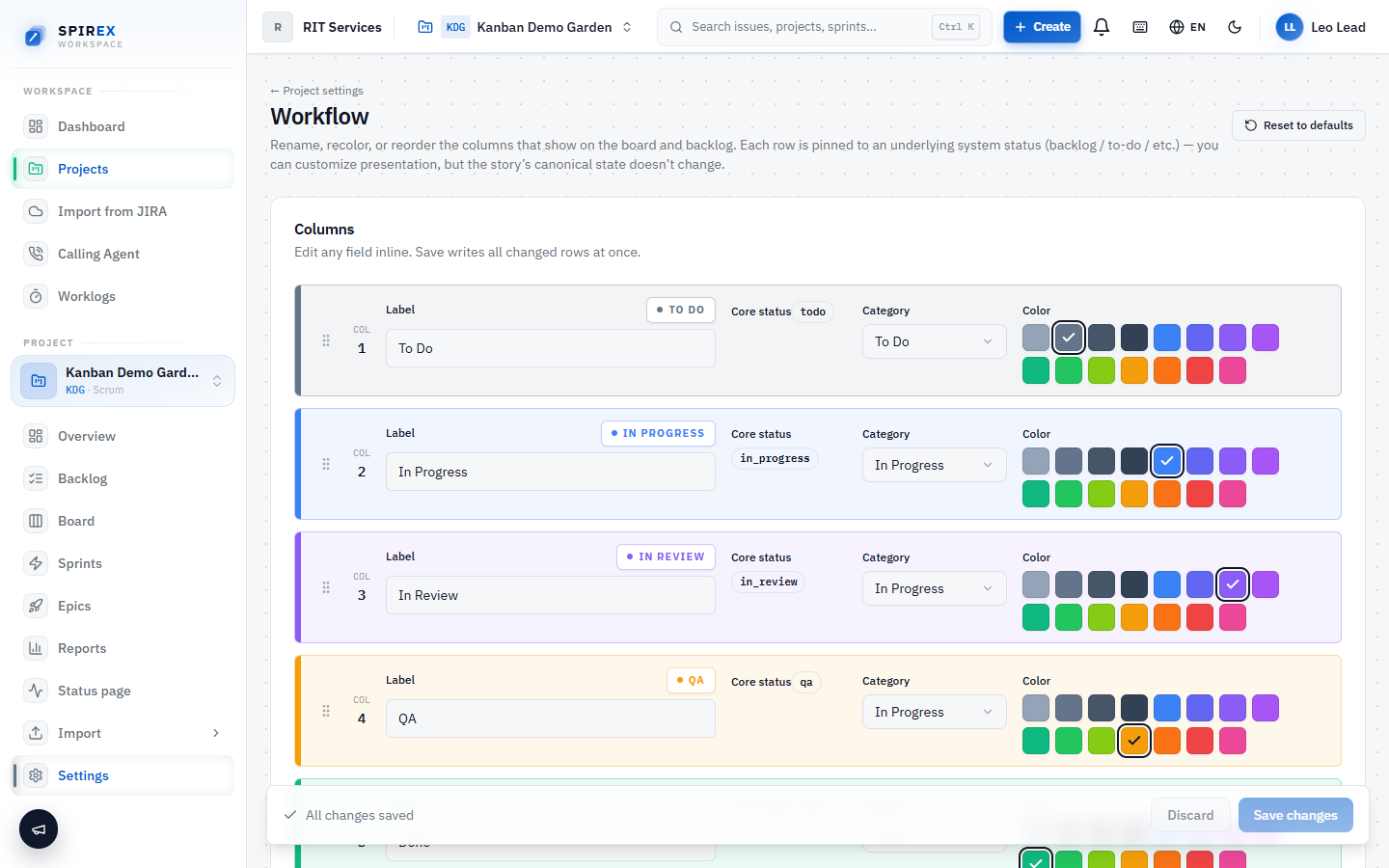
Underneath every custom workflow, SPIREX maps work onto six core statuses. A project's custom columns are workflow-column records that map onto those six; "Code Review" and "QA" are both real, distinct columns your team defined, while still resolving to a status the system understands for reporting and the API.
| Core status | Typical custom column examples |
|---|---|
| To do | "Backlog", "Ready", "Not started" |
| In progress | "In Progress", "Coding", "Building" |
| In review | "Code Review", "PR Open", "Peer Review" |
| Testing | "QA", "Verification", "Staging" |
| Blocked | "Blocked", "On Hold", "Waiting" |
| Done | "Done", "Shipped", "Closed" |
Building a custom workflow
The workflow editor is visual: add, rename, or reorder the statuses a project actually uses by dragging them into the order that matches how work really moves. This is per project, not a single global template forced onto every team.
The part that matters most in practice: renaming a status propagates to the board, the backlog and the activity history at once. A historical activity entry resolves the status's current label rather than freezing the string that existed when the entry was written, so a report generated today and one generated after a rename never disagree about what happened.
Writing the work up
Story and subtask descriptions use a rich editor (TipTap) rather than plain text: images, embedded video, @mentions to notify a teammate, and #issue links that resolve to another story's key inline. A description with an embedded screenshot and a linked story reads as documentation, not just a task title.
Comments carry the same editor, so a discussion thread on a story can include the same rich content as the description itself.
Frequently asked questions
There is no universally "best" structure. It depends on how your team scopes work. What SPIREX gives you either way: an epic for the initiative, stories sized to a sprint, and subtasks only when a story genuinely needs to be split across more than one person. Over-nesting (subtasks of subtasks) is not supported, deliberately: the hierarchy is two levels deep for a reason.
The visible difference is smaller than the underlying one: both let you define custom statuses. The difference is what happens when you rename one. In SPIREX, a rename resolves everywhere (board, backlog, and every historical activity entry) from a single source of truth, rather than each surface caching its own copy of the label.
Yes. Workflow columns are configured per project, so a support-triage project and a product-engineering project in the same organisation can use entirely different status sets.
No, issue links (blocks, relates to, duplicates) are informational, surfacing the relationship on the story itself. SPIREX does not currently prevent a status change because a blocking link exists; the link is there so a human sees the dependency before deciding.
Mentions resolve to organisation members. Someone needs to be added to the organisation (and typically the project) before they can be mentioned and notified from a comment or description.
Build a workflow that matches how you actually ship
Create a free workspace and open the workflow editor on a real project: add the columns your team uses, rename one, and watch the board and backlog update together.