Documentation · Time tracking & reporting
How time tracking and reporting work in SPIREX
Time tracking in SPIREX is a worklog against an issue, not a separate timesheet product bolted on afterward. This page documents how logging works, what the reports actually compute, and the one rule that keeps a burndown chart honest.
By the SPIREX team · Published
Logging time against an issue
A worklog is created directly on the story it belongs to: time spent, a date, and an optional description of what the time was for. Worklogs are attributed to their author, and a story's logged time is the sum of every worklog on it, grouped by author with per-author subtotals visible on the issue.
The rule that keeps reporting honest
SPIREX sums time that was actually logged. It never presents a story point estimate or a sprint's planned capacity as though it were recorded effort. That distinction sounds pedantic until a burndown chart is used to answer "how much did this actually take." An estimate substituting for logged time turns that chart into a comfortable fiction rather than a record.
This means a report can honestly show zero logged hours on a completed story. That is not a bug in the report; it means nobody logged time on it, which is itself useful information about whether time tracking is actually being used on that project.
The three report views
Reporting is split across three tabs, each answering a different question rather than one dashboard trying to answer all of them at once.
- Overview: a project-level summary of activity and status distribution.
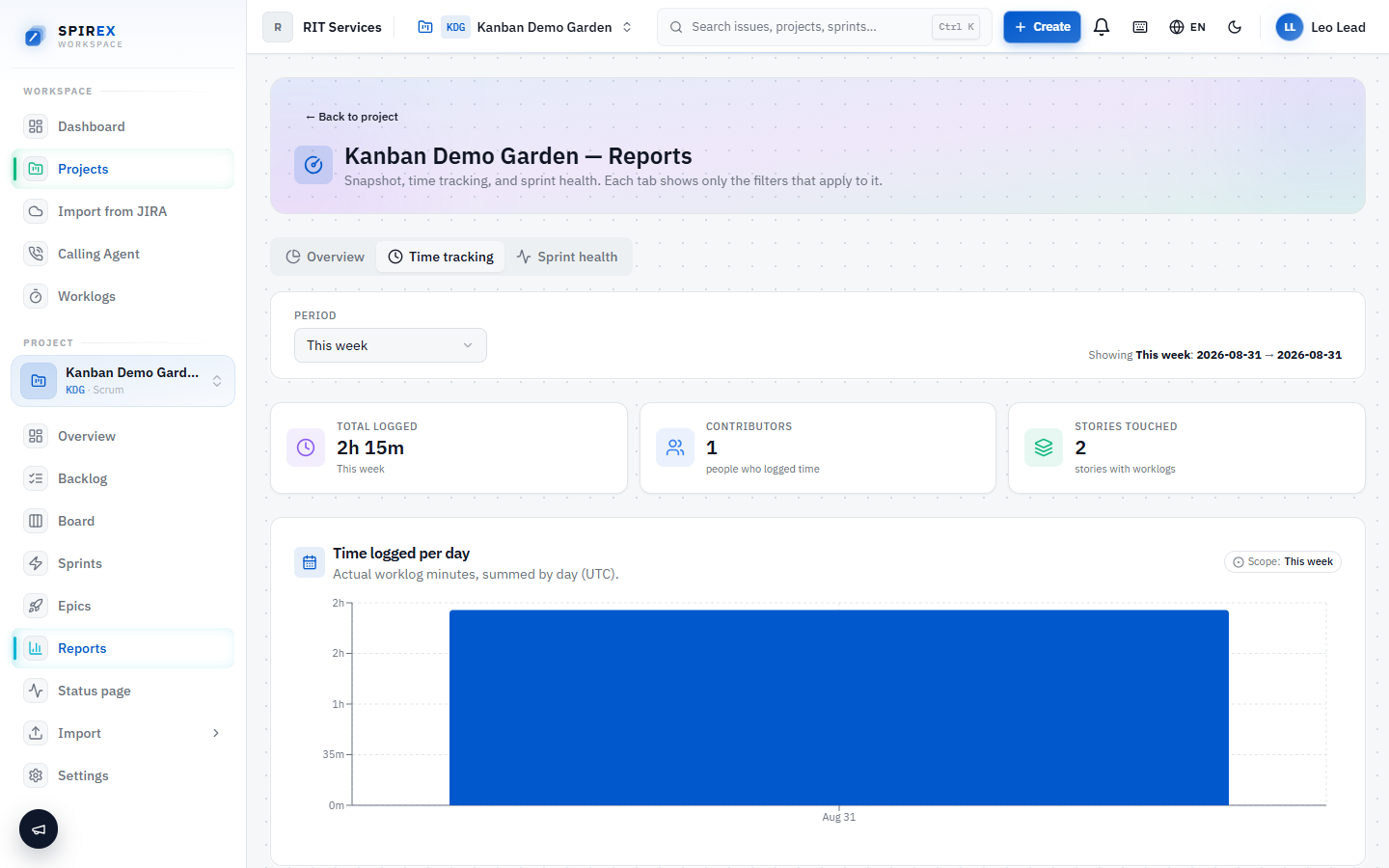
- Time tracking: logged time grouped by author and by story, with subtotals, for "who worked on what, and how much" questions.
- Sprint health: carry-over rate and completion trends across sprints, for "are we actually getting faster or slower" questions.
Exporting worklogs
Logged time can be exported to CSV over a chosen date range: a fixed preset (this week, last week, this month, last month) or a custom start and end date, rather than only being readable inside the app. This is the path for payroll, client billing, or feeding the numbers into a spreadsheet a stakeholder already trusts.
What an Organisation Admin sees versus everyone else
On the worklog screens, an Organisation Admin sees everyone's logged time across the organisation. A non-admin sees only their own. This is the same visibility rule documented in the roles and permissions guide, applied here rather than repeated as a separate access model.
Frequently asked questions
The specific thing SPIREX does well here is refusing to blend estimates with logged time: a lot of project-management tools quietly let a burndown chart include planned effort as though it were recorded. If accurate, auditable time-on-task is what you need, that discipline matters more than any single feature checkbox. If you need detailed timesheet approval workflows or client invoicing built in, SPIREX's time tracking is simpler than a dedicated timesheet product and does not try to be one.
An estimate is a guess made before the work starts. A worklog is a record of what actually happened, entered by whoever did the work. SPIREX keeps the two conceptually and visually separate specifically so a report never has to guess which one you meant.
Yes, worklog duration is entered as free-form time (for example "2h 30m"), not restricted to whole hours.
Yes. The export supports a custom start and end date in addition to the fixed week/month presets.
Sprint-health metrics (carry-over, completion trend) are inherently sprint-based, so they apply to scrum projects. Dedicated kanban project creation is disabled in the current release. See the open-source scrum tool documentation for that limitation in full.
Log a week of real work and read the report
Create a free workspace, log time against a few stories, and open the time-tracking tab. What you see is exactly what was logged. Nothing is rounded up from an estimate.