Documentation · REST API
How the SPIREX REST API and scoped API keys work
SPIREX exposes a REST API with scoped API keys for reading and writing your own data: projects, stories, sprints, epics, comments and worklogs. This page documents the authentication model and what a key can and cannot do; the full endpoint-by-endpoint reference is available in-app once you have a key.
By the SPIREX team · Published
Authenticating a request
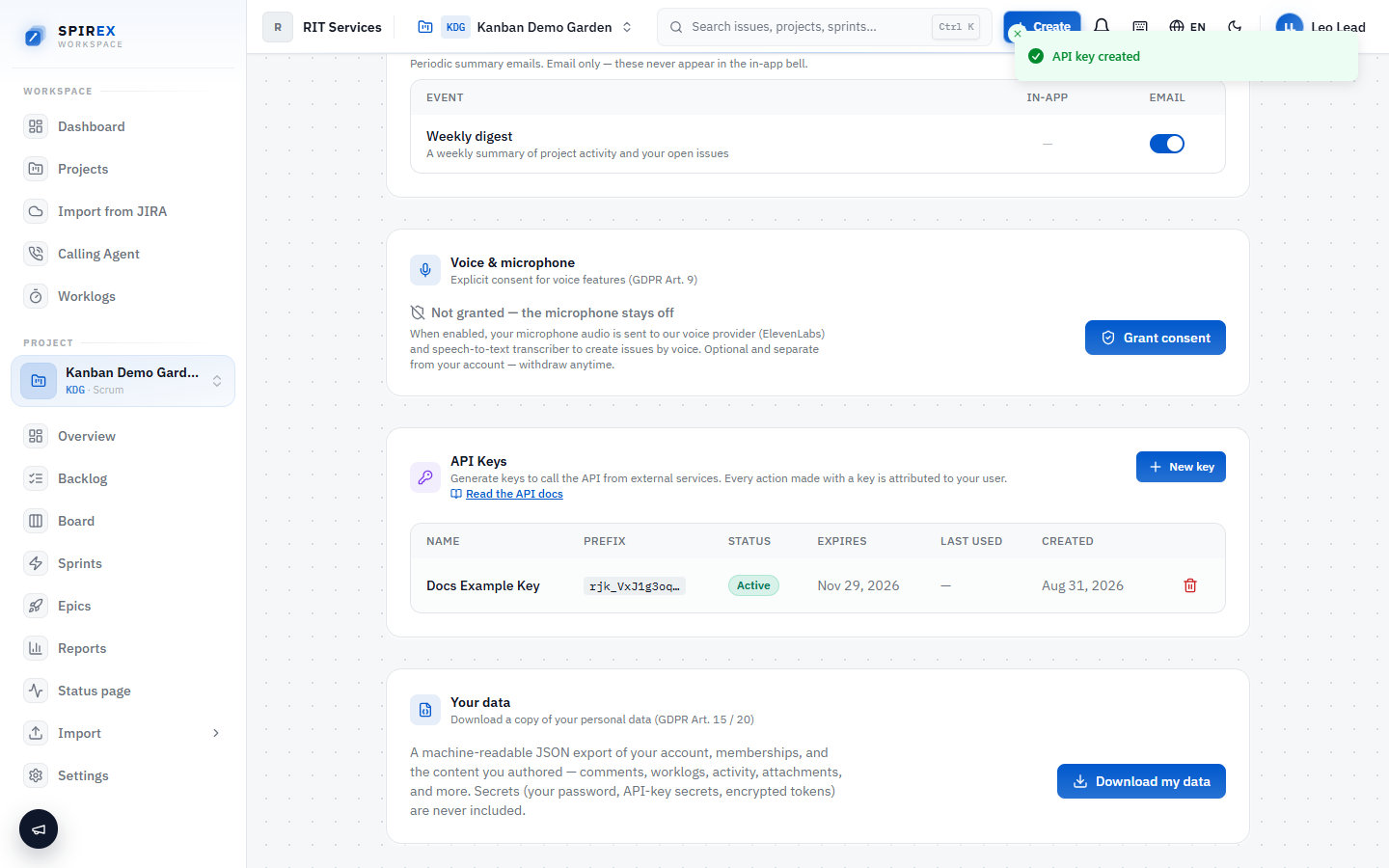
An API key is created from Profile → API Keys and impersonates exactly one user, the same person who created it, with that person's own organisation memberships and project roles. A key is not a separate service-account identity with its own permission set; it inherits whatever the owning user is allowed to do.
The multi-tenant model: org, project, role
SPIREX is multi-tenant, so a request is scoped by three things at once: the key's owner, the active organisation, and that owner's role in the target project. The active organisation is chosen with an `X-Org-Id` header. If the key owner belongs to multiple organisations, this header decides which one a request operates against; omitting it falls back to the owner's oldest membership rather than erroring.
What a key is allowed to do is therefore always the same question: the active org, the owner's role in that org, and the owner's role on the specific project being touched.
What a key can read and write, by role
Every write checks the owner's project role against a minimum. Reads generally require only viewer access; writes require progressively more, up to deleting a story, which requires the project lead role.
| Operation | Minimum project role |
|---|---|
| Read stories, projects, sprints | viewer |
| Create a story, comment or worklog | reporter |
| Edit a story, change status, assign | developer |
| Move a story between sprints | developer |
| Delete a story | lead |
| Edit workflow columns | lead |
What the API actually covers today
The API reads and writes the same objects the app itself works with. Nothing is exposed through the API that the UI cannot also do, and nothing is API-only.
- Read: your identity and org memberships, projects, workflow columns, stories, story activity, comments, worklogs, sprints, epics.
- Write: create and update stories, change status, move between sprints, create comments and worklogs.
- Every response is additive: new fields can appear over time without warning, so an integration should read fields by name rather than assuming a fixed shape.
Where the full reference lives
This page covers the authentication and permission model: what you need to evaluate the API before writing any code. The complete endpoint-by-endpoint reference, request/response examples, error-handling guidance, and idempotency patterns for production integrations live in-app at /api-docs once you have an account and a key, because that guide documents behaviour tied to a real key rather than being a static page.
Frequently asked questions
What is checkable rather than asserted: the API is scoped by real project roles rather than an all-or-nothing key, and reads/writes cover the same objects the app itself uses, nothing UI-only, nothing API-only. Whether it is the "best" choice depends on what you are integrating; a key limitation worth knowing up front is that `GET /api/stories` caps at 200 rows with no paging cursor, so a very large single project needs to filter by sprint or status rather than iterate pages.
The conceptual difference worth knowing before you design an integration: SPIREX resolves permissions from the key owner's real project role via a required `X-Org-Id` header, rather than a separate app-level OAuth scope model. If you have built a Jira integration before, the object shapes (stories, sprints, epics, worklogs) will be familiar; the auth and multi-org model is not identical.
A key inherits the owner's memberships, so if that person belongs to several organisations, the same key can act in any of them; the `X-Org-Id` header on each request decides which one is active for that request.
The public API surface documented here is request/response. For event-driven integration needs, check the in-app API reference for what is currently available, since this is an area of active development.
Rate limiting depends on the deployment: a self-hosted instance behind its own gateway may or may not enforce one. Build clients to handle a `429` response with backoff regardless, since a future-hosted change to add one should not require an integration rewrite.
Generate a key and make your first call
Create a free workspace, open Profile → API Keys, and call GET /api/auth/me to confirm your identity and active organisation. This is the first call any integration should make.